 2 min
2 minZones and limits
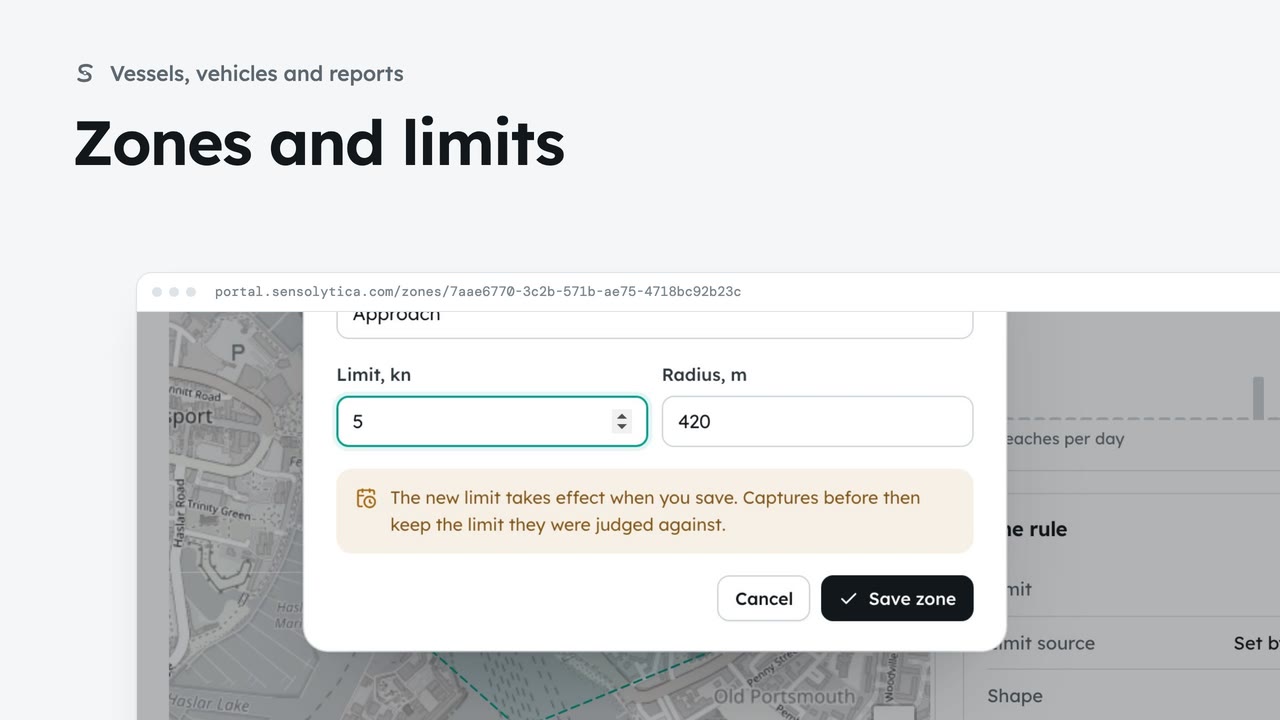
See where each limit applies and how each zone keeps to it, and change a limit with when it takes effect.
2 min6 stepsAdmin, Operator
Use the getting started checklist to set up a new organisation before the first capture counts.
Getting started
Settings, then Getting started. Seven steps before the first capture counts.
How far you are
The bar shows the steps done and about how many minutes are left.
Record as signed
Once your assessment is signed, record it here under your name.
One button per step
Each step opens the page that does it. Done steps offer Review; Next has moved on.
Help as you go
Book a setup call, read the glossary or ask support.
Open Settings from the sidebar, then Getting started. It lists seven steps to finish before the first capture counts, and most of them you do once.
The bar shows how many steps are done and roughly how many minutes are left. Each step ticks itself off when the portal sees it done, such as a zone drawn or a node added.
The step marked Next comes first: your data protection impact assessment. Once it has been signed by the person accountable for it, choose Record as signed, then confirm. It goes in the audit trail under your name.
Every step has a button to the page that does it. Steps already done, such as Draw your zones, show Review so you can check them. Next has moved on to Invite your team, with Invite the team. Pairing drive units is optional.
Want a hand? Book a setup call and we go through zones and alert rules on screen with you. When every step is done the checklist folds away and the dashboard takes over.
Sign in with your work email. Your own organisation's records, nodes and units take the place of the Westmouth ones.
2 minSee where each limit applies and how each zone keeps to it, and change a limit with when it takes effect.
2 min6 stepsAdmin, Operator
 3 min
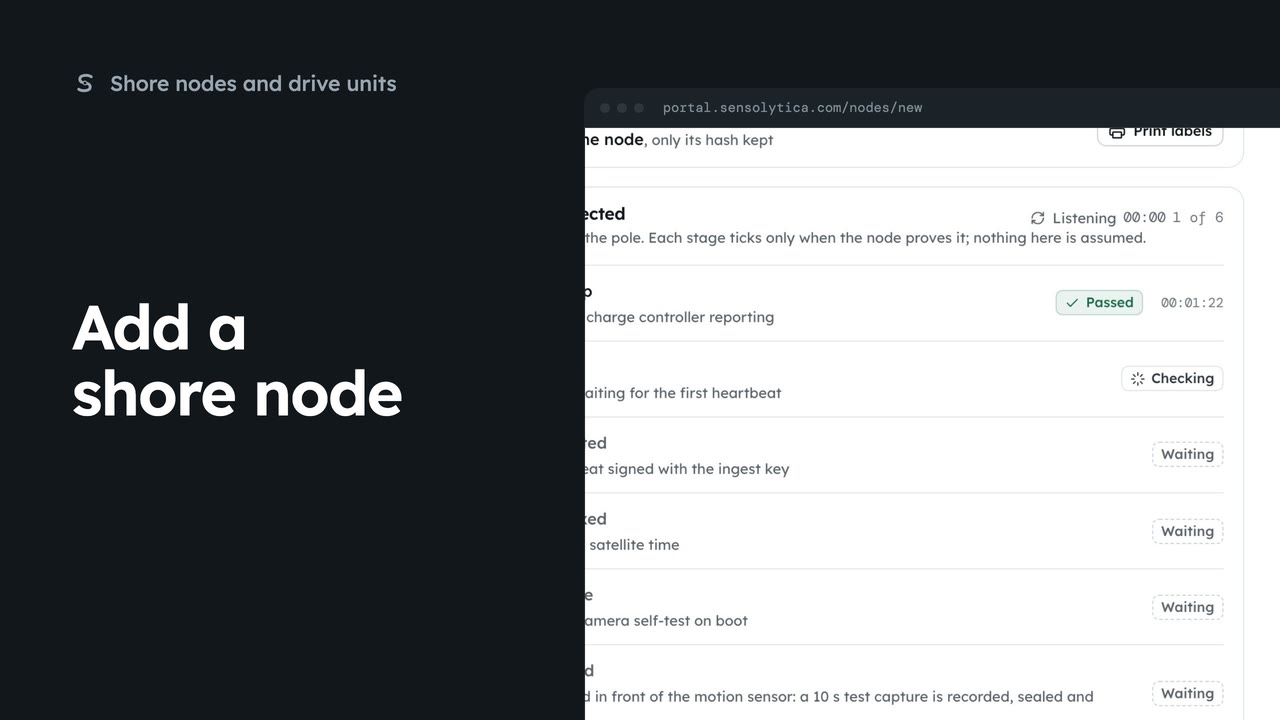
3 minRegister a new shore node, save its key and watch it connect, in four steps.
3 min7 stepsAdmin
 2 min
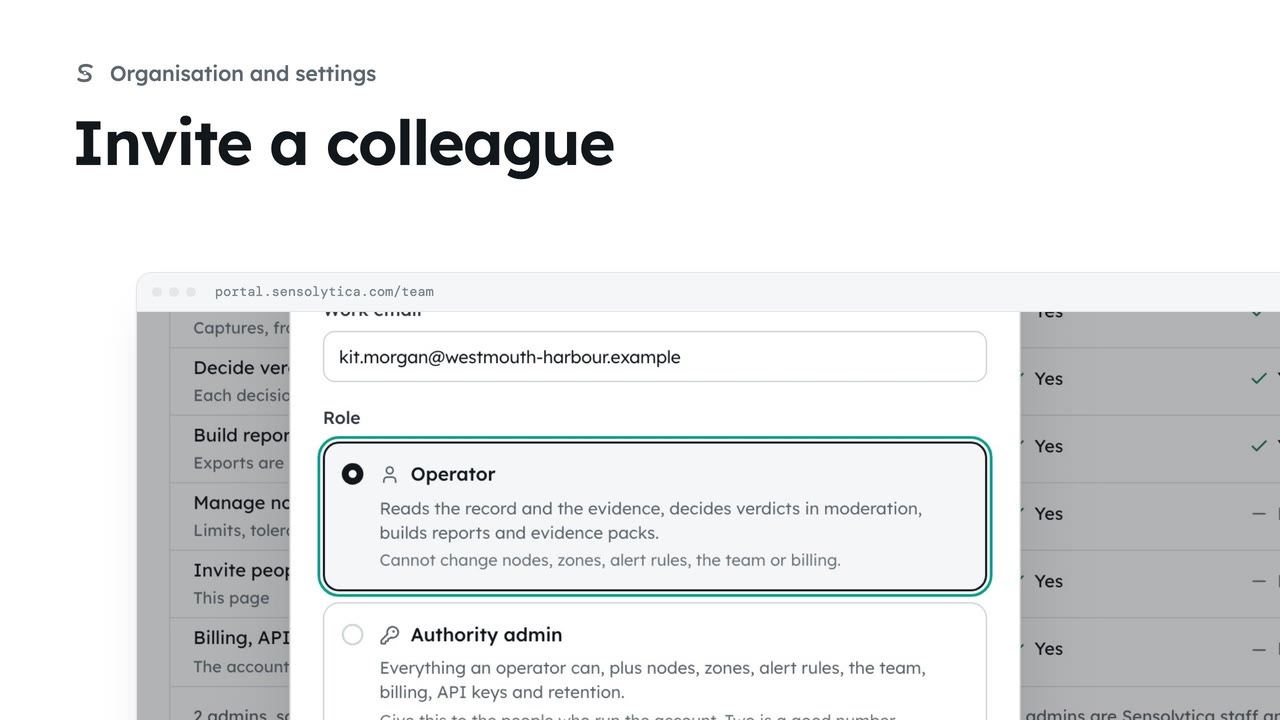
2 minInvite someone to your organisation with the smallest role that lets them do their job.
2 min5 stepsAdmin
Checked against the portal on 15 October 2026. Westmouth names, vessels, units and figures are illustrative. General guidance on using the portal, not legal, regulatory or financial advice.