 3 min
3 minA unit’s drive data
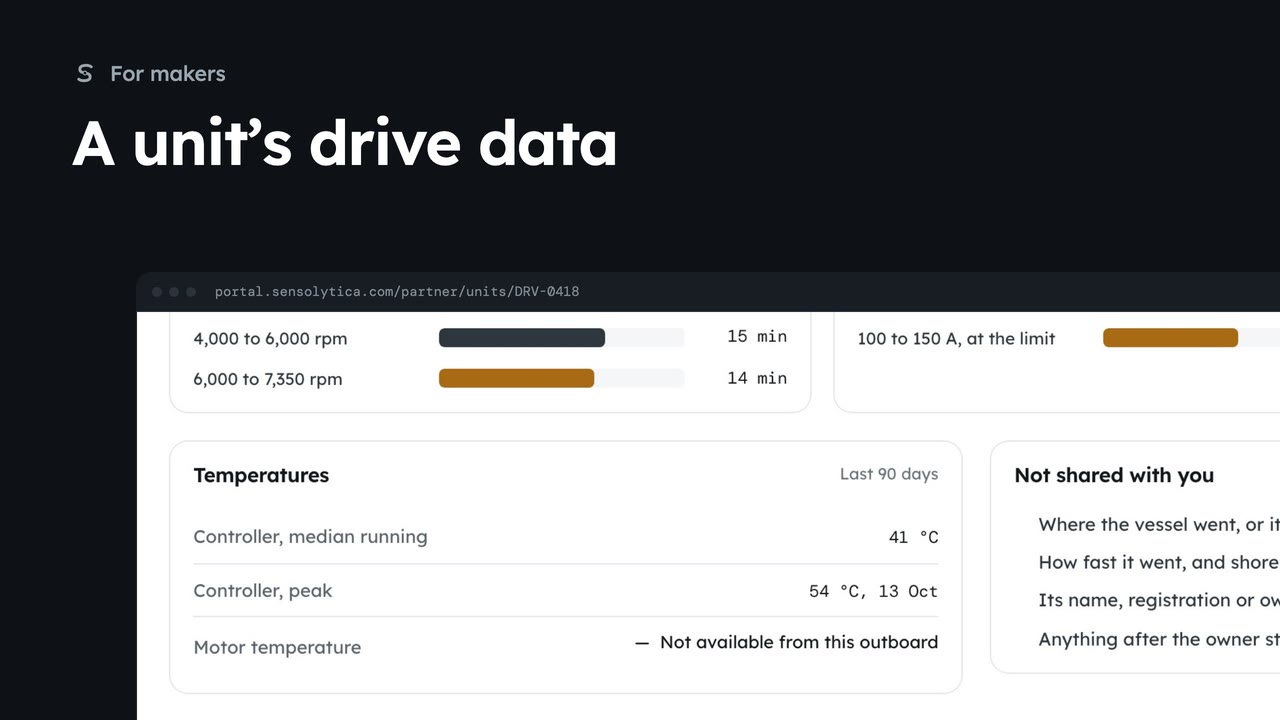
Open one shared drive unit to see its run time, time at rpm and current, controller temperatures and faults from the last 90 days.
3 min7 stepsMaker
See the drive units on your electric outboards that owners have chosen to share, with run time, faults and firmware for service planning.
Your fitted units
Fitted units is the first page a maker sees. It covers every fleet whose owners agreed to share outboard data.
Outboard data only
The note at the top says what you see and what you never see. An owner can stop sharing at any time.
Fitted, reporting, sharing, faults
Units fitted, Reporting this week, Owners sharing and Fault reports, 30 days sum up your outboards in the field.
Plan service by run time
Run time groups shared units by hours. Fault reports and Firmware sit beside it.
Search the units
Type a unit, outboard or fleet. 77 V finds the units on your Halyard H10.
Take the list with you
Export for service planning saves what is on screen as a CSV, outboard data only.
As a maker, you start on Fitted units, the first item in the sidebar. It lists the drive units fitted to your electric outboards, read from the motor controller, across every fleet that agreed to share with you.
Read the note at the top once. You see run time, time at rpm and current, controller and motor temperatures, faults and firmware. You never see positions, speeds, shore node captures or who owns a vessel.
The four figures sum up your outboards in the field. Units fitted counts every unit on your outboards. Owners sharing shows how many of those you can actually see, and across how many fleets.
Below the figures, Run time groups the shared units by hours, which is what service intervals are planned on. Fault reports lists fault bits from the last 30 days, here one controller over-temperature warning, and Firmware shows which versions are out there.
Units on your outboards lists each shared unit. Your Halyard H10 shows as Electric outboard, 77 V class, and the H2 as 51 V class. Type 77 V in the search to keep only the H10s. A private owner is always shown as Private owner, never by name.
Clear the search, and when you need the list elsewhere, use Export for service planning at the top of the page. It saves the units on screen as a CSV, with run time, firmware and faults, and nothing about where a vessel went.
Sign in with your work email. Your own organisation's records, nodes and units take the place of the Westmouth ones.
3 minOpen one shared drive unit to see its run time, time at rpm and current, controller temperatures and faults from the last 90 days.
3 min7 stepsMaker
 2 min
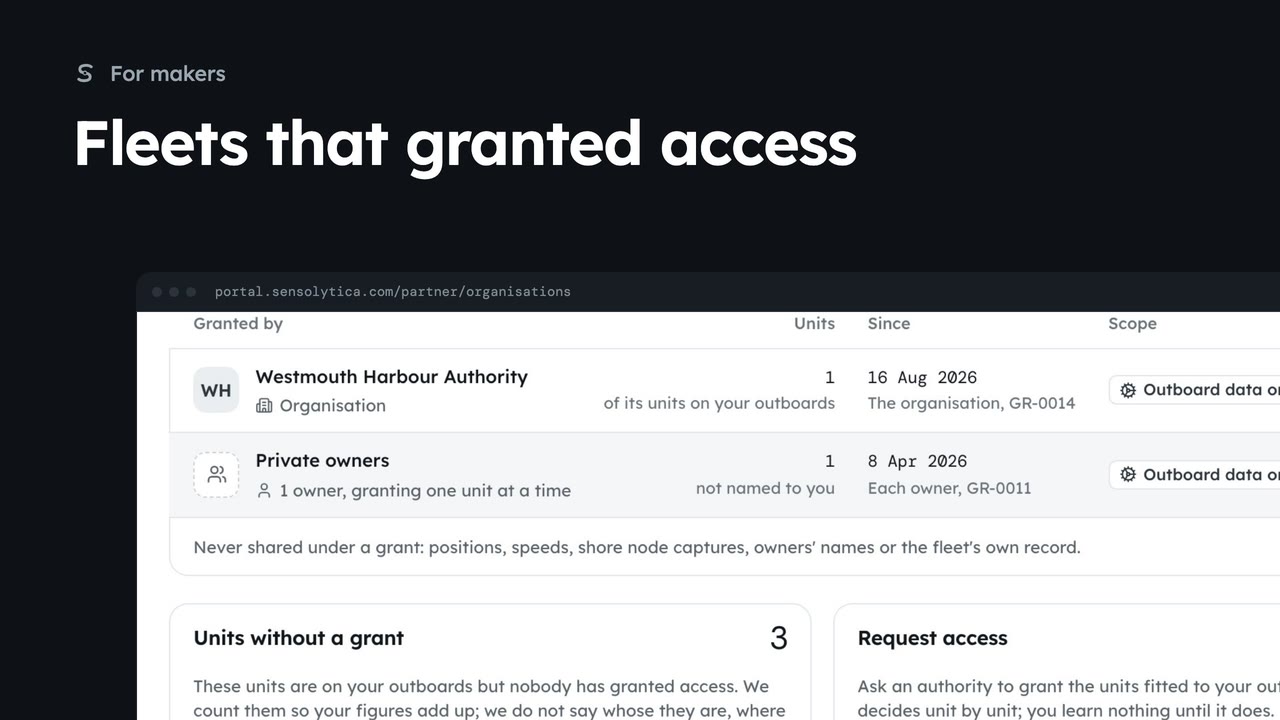
2 minSee which authorities and owners have granted you outboard data, how many units each covers, and how to ask for more.
2 min5 stepsMaker
 2 min
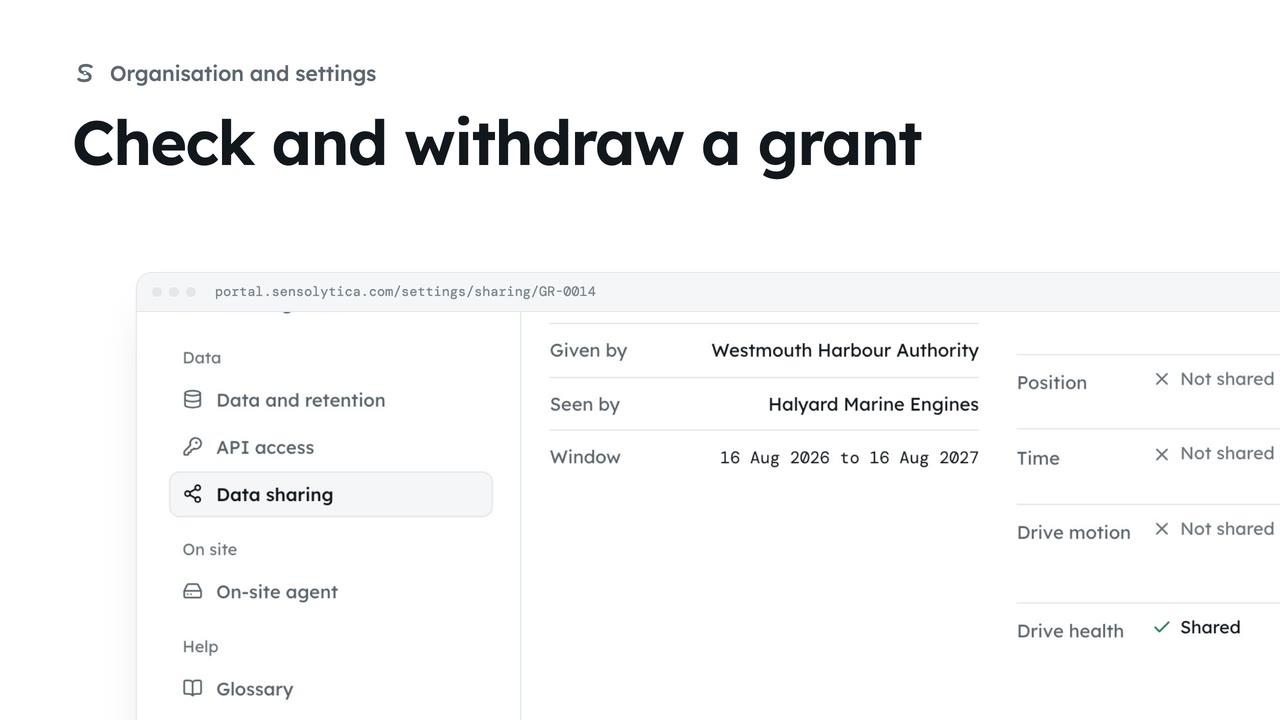
2 minSee the narrow grants that open one unit or vessel to a maker, an owner or a maintenance job, and withdraw one you gave.
2 min3 stepsAdmin
Checked against the portal on 15 October 2026. Westmouth names, vessels, units and figures are illustrative. General guidance on using the portal, not legal, regulatory or financial advice.